Your prospect just finished a demo. Your champion said "this looks promising." Your AE sends a follow-up email with three PDFs and a Loom link.
Two weeks later: silence. Deal goes to "Closed Lost - No Decision."
What happened: Your champion tried to sell for you with scattered PDFs and broken Google Drive links. She looked disorganized. The deal lost momentum.
The problem: You made buying from you feel like work.
What is a sales room?
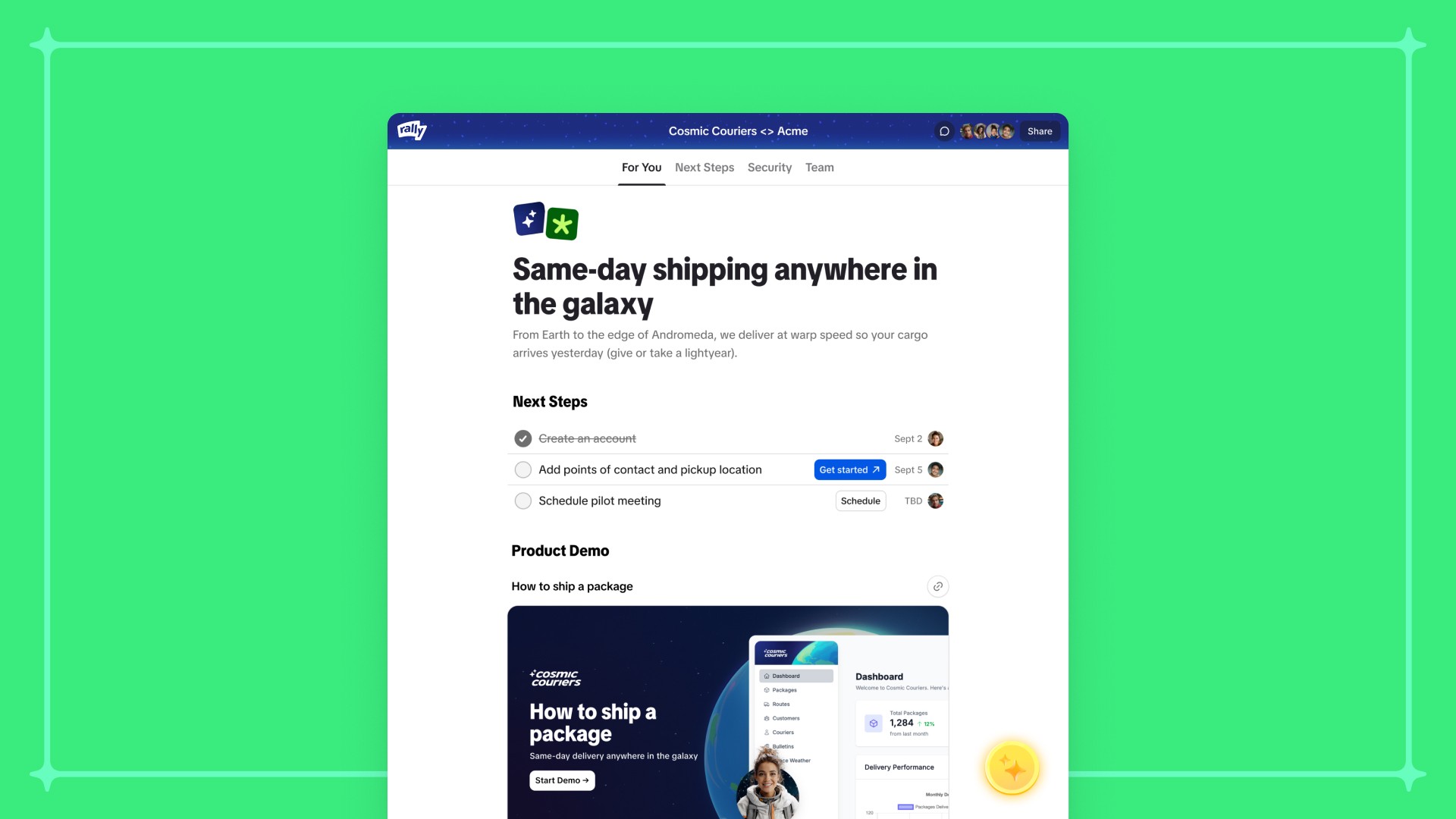
A sales room (also called a digital sales room or buyer enablement platform) is a centralized, branded space where your buying committee can access everything they need to make a purchase decision: demos, pricing, security docs, ROI calculators, mutual action plans, and case studies.
Unlike email threads or shared folders, a sales room is purpose-built for complex B2B buying with multiple stakeholders.
Why it matters in 2025: Buying committees average 6-10 people. Sales cycles are 30%+ longer than in 2020. 40-60% of deals end in "no decision" because the internal process is too complex. Your champion needs infrastructure to navigate this, not scattered collateral.
Core principles of effective sales rooms
1. Built for buyers, not sellers
Most "sales rooms" are designed for sales teams—pipeline tracking, activity logs, internal notes.
Good sales rooms are built for buying committees. Clean, simple, focused on helping them decide. No CRM features disguised as buyer enablement.
2. Support async, self-directed buying
Buyers in 2025 do most evaluation without you. They watch demos at 11pm, review security docs between meetings, share materials with stakeholders who weren't on your call.
Your sales room must work when you're offline.
3. Enable committee selling
You're selling to Finance, Legal, IT, Security, Operations, and executives. Each has different questions.
Surface the right content for each stakeholder without making them hunt through irrelevant materials.
4. Reduce cognitive load
Your prospect is evaluating three vendors while doing their actual job. They don't want more content—they want clarity.
Curate. Organize. Make it obvious what matters and what to do next.
5. Create momentum, not friction
Every unanswered question is a chance for the deal to stall. Every broken link is a reason to give up.
Anticipate questions and remove friction before it appears.
Essential elements of a sales room
1. Demos (multiple formats)
Not a 60-minute unedited Zoom recording that starts with "can everyone hear me?"
Include:
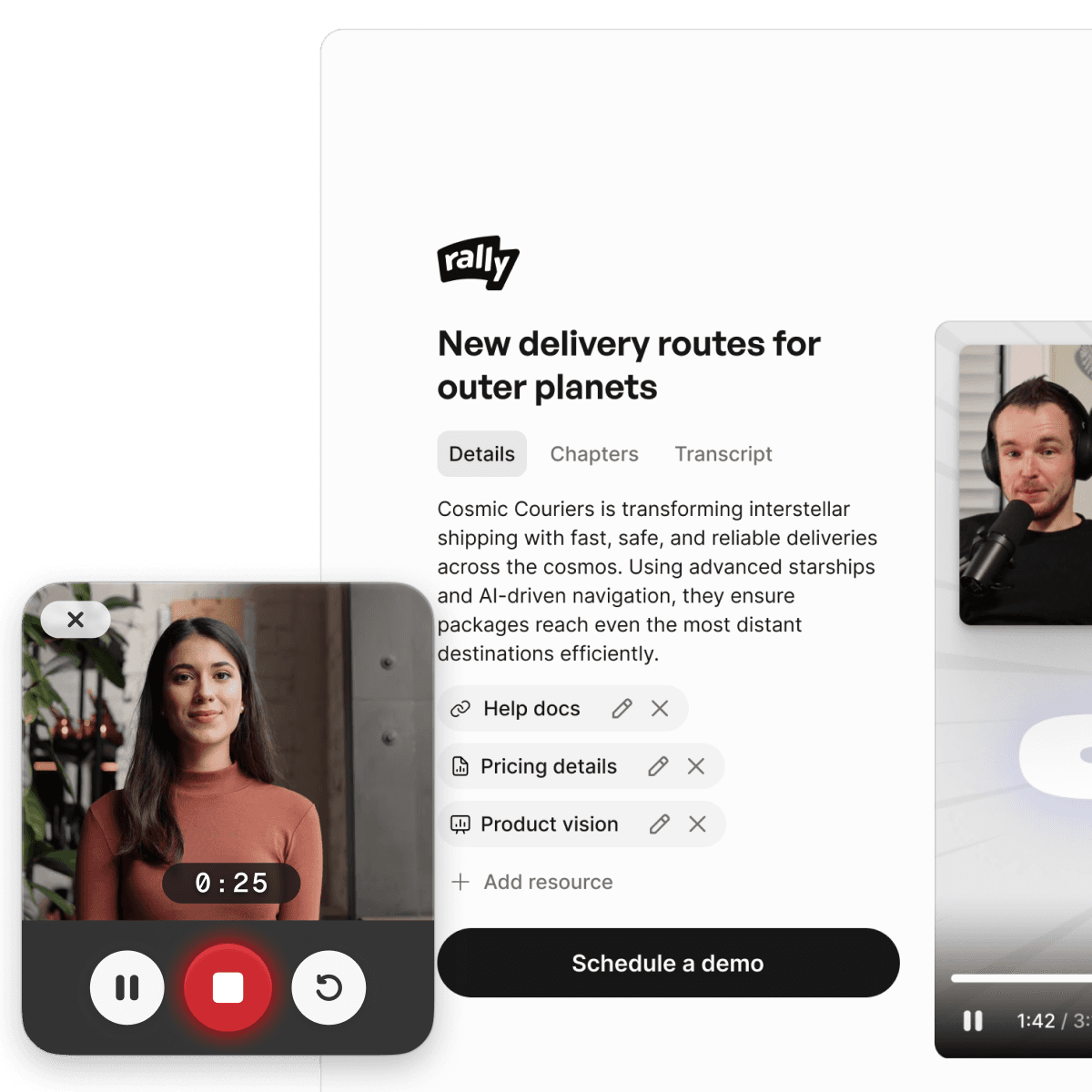
Recorded demos with chapters/timestamps (so stakeholders can jump to relevant sections)
Interactive demos where prospects explore features independently
Multiple formats: full walkthrough for champions, 3-minute executive summary for VPs, technical deep-dive for IT
Edited call recordings from your actual conversation
Finance doesn't need your entire product tour—they need the 90 seconds where you explained ROI. Make it easy to find.
2. Mutual action plan
A shared timeline both sides commit to. Not your internal sales timeline dressed up.
Include:
What needs to happen for them to decide (specific, not vague)
Who's responsible for each step—on both sides
When each milestone happens (tied to real events, not hopeful dates)
Dependencies (Legal needs security docs before review starts)
How to escalate if stuck
Good MAP: "March 12: Emma presents business case to CFO (we provide executive summary by March 10). March 18: Contract to Legal (10-day turnaround typical, we provide redline guidance)."
Bad MAP: "Week 3: Contract Review. Week 4: Decision."
3. Role-specific content
Different stakeholders need different information:
CFO/Finance:
ROI calculator with their actual numbers
Pricing and payment terms
Cost of inaction analysis
Payback period
Legal/Compliance:
Standard contract terms (MSA, DPA, SLA)
Security documentation (SOC 2, ISO certifications)
Privacy policy and data handling
IT/Technical:
Integration documentation and API specs
Technical architecture diagrams
Implementation timeline
System requirements
Security:
Security questionnaire (pre-filled)
Audit reports and certifications
Incident response procedures
Operations:
Implementation plan
Change management resources
Training materials
Support SLAs
Executive/VP:
One-page executive summary
Strategic value proposition
Risk analysis
Competitive positioning
Don't make a VP dig through technical documentation for strategic rationale. Surface the right content for each role.
4. Social proof that matters
Generic testimonials don't work. Buyers want proof from companies like theirs.
Include:
Case studies from similar companies (same industry, size, use case)
Quantified outcomes: "reduced sales cycle from 87 days to 62 days"
Customer references with names, titles, LinkedIn profiles
Video testimonials from similar buyers
Recognizable customer logos
5. Answers to obvious questions
Your champion gets asked the same questions every deal. Answer them proactively.
Common questions:
How does this compare to [competitor]?
What's the implementation timeline?
What happens if we cancel?
How does pricing work as we grow?
What support do we get?
Who else uses this and what results?
Put this in an FAQ. Make it searchable. Your champion shouldn't email you at 9pm because their VP asked a basic question.
6. Clear next steps
At any point, it should be obvious what happens next.
Make clear:
What the next milestone is
Who needs to do what
When it needs to happen
How to move forward
Don't make them hunt for your calendar link.
What to exclude from sales rooms
Skip:
Generic "about us" company history
Awards nobody cares about
Every piece of content you've ever created
Internal notes visible to prospects
Activity tracking that feels like surveillance
Outdated pricing or product screenshots
Gated content requiring another form fill
"Schedule a call to learn more" as the only option
Broken links or permission errors
Design best practices
Mobile-first
Your CFO reviews proposals on their phone at 7am. Your champion shows demos on an iPad. IT reads security docs on a commute.
Requirements:
No horizontal scrolling
Videos play inline
PDFs readable without squinting
Navigation works with thumbs
Load times under 3 seconds on cellular
Scannable content
Nobody reads linearly. They scan for what matters.
Use:
Clear headers and section breaks
Bullet points over paragraphs
Bold key facts and numbers
Visual hierarchy
Short chunks, not walls of text
Your champion has 90 seconds between meetings to find what their VP asked for. Make it findable.
Clean and professional
Your sales room is a proxy for your product.
Good design:
Consistent branding (not overwhelming)
Plenty of white space
Modern, clean interface
No visual clutter
Fast and reliable
Non-negotiable:
Everything loads in under 3 seconds
No broken links
No permission errors
Works in all major browsers
Branded but not marketing
Use your brand colors and fonts. Include your logo once. But prioritize clarity over brand expression.
Think "Apple Store" not "Apple commercial."
Key features
Engagement analytics
Know what's happening inside the buying committee.
Track:
Who has accessed the room
What content they've viewed and for how long
What they've shared with stakeholders
What hasn't been viewed (signals blockers)
Actionable insight example: "CFO watched ROI calculator 3x but hasn't shared it—send them the comparison with current spend."
"Legal shared security docs with compliance—good sign. VP of Ops hasn't engaged—deal stalling there."
Don't:
Show timestamps down to the second
Surface this data to prospects
Make it feel like surveillance
Collaboration features
Support:
Comments and questions on specific content
Champions can add notes
Stakeholders can @mention each other
Shared editing of mutual action plans
Version control
Include:
Clear versioning for documents
"Last updated" timestamps
Ability to swap out old content
Archive old versions
Your prospect shouldn't ask "is this still accurate?"
Smart notifications
Good notifications:
New content relevant to their role
Mutual action plan updated
Questions answered
Upcoming deadlines
Bad notifications:
"John viewed your sales room!"
Daily digests
Every tiny update
Respect their inbox. Only notify when it matters.
Common mistakes
1. Building too late Most teams create sales rooms when "moving to close." Build early—after the first discovery call.
2. Content dumps A dozen PDFs isn't enablement. Curate what matters for this specific deal.
3. Set and forget Update as deals evolve. New stakeholders, changed requirements, adjusted pricing.
4. Optimizing for your team Build for the buying committee, not your AE.
5. Too much friction One link. Works immediately. No account creation, passwords, or downloads.
6. Ignoring the champion Give them talking points, objection handling, materials that make them look good internally.
7. Generic, not personalized Use their terminology. Include relevant case studies. Build ROI models with their numbers.
What success looks like
For champions: Makes them look competent, gives them ammunition, saves time, reduces coordination overhead.
For stakeholders: Lets them find what they need without calls, answers role-specific questions, builds confidence.
For sales teams: Shows what's happening in the buying committee, identifies st